

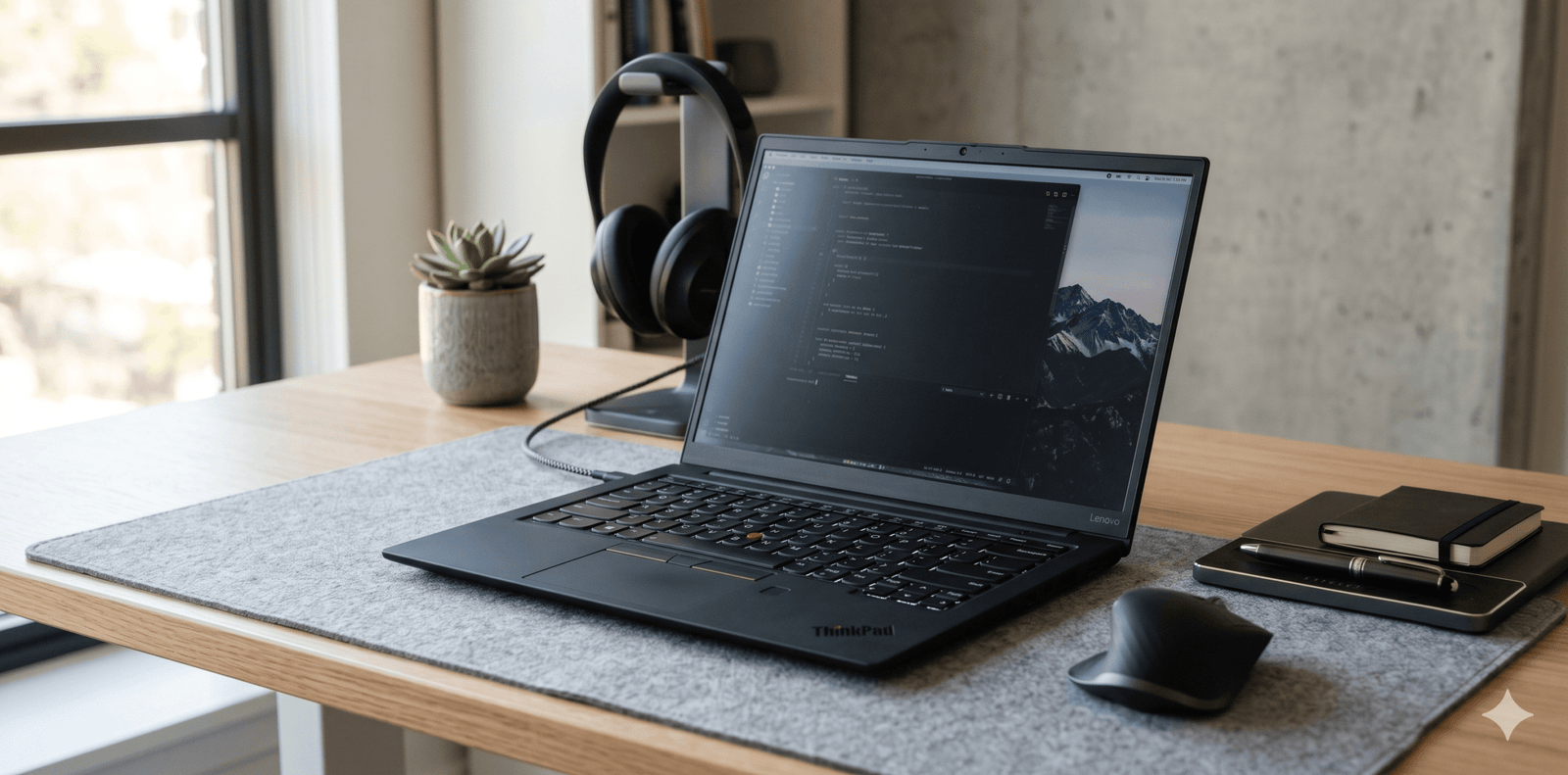
ThinkPad laptop models continue to dominate the business and professional laptop market because of their reliability, performance, and practical design. Whether you are a student, programmer, entrepreneur, or remote worker, a ThinkPad can deliver the productivity and durability needed for daily tasks.
Unlike many stylish laptops that focus only on appearance, ThinkPad devices are built for long-term performance. Their comfortable keyboards, solid build quality, and efficient battery life make them a favorite among professionals worldwide.
Why ThinkPad Laptops Are Still Popular
The ThinkPad brand has earned trust over decades because of its consistent quality and professional performance. Originally developed for enterprise users, these laptops are now widely used by freelancers, students, and business owners.
One major reason behind their popularity is durability. Many ThinkPad models pass military-grade durability tests. This means they can handle heat, dust, accidental drops, and long work hours better than many standard laptops.
Another important factor is the keyboard experience. People who spend hours typing often prefer ThinkPad keyboards because they are responsive and comfortable.
In addition, Lenovo continues to improve ThinkPad devices with modern processors, AI-powered performance optimization, and better battery efficiency.

Key Features That Make ThinkPad Different
Excellent Keyboard Experience
ThinkPad laptops are famous for their ergonomic keyboards. The key travel feels smooth, making long typing sessions more comfortable. Writers, programmers, and office professionals benefit greatly from this feature.
Strong Build Quality
Most ThinkPad models use durable materials like carbon fiber and magnesium alloy. Therefore, they often last longer than regular consumer laptops.
Reliable Security Features
Security matters for professionals and businesses. Many ThinkPad devices include fingerprint readers, privacy shutters, TPM security chips, and facial recognition support.
Long Battery Life
Battery performance is another strong advantage. Several ThinkPad laptops can easily handle a full working day without requiring frequent charging.
Business-Friendly Performance
From multitasking to video meetings and heavy spreadsheets, ThinkPads are optimized for productivity. In addition, newer models support AI-assisted workflow management and efficient thermal control.

Best ThinkPad Laptop Series Explained
Lenovo offers different ThinkPad series for different types of users. Understanding these categories can help buyers make a smarter decision.
ThinkPad X Series
The X Series focuses on portability and premium performance. These laptops are lightweight and ideal for professionals who travel frequently.
Popular use cases include:
- Business travel
- Remote work
- Corporate meetings
- Productivity tasks
ThinkPad T Series
The T Series is often considered the most balanced option. It offers strong performance, excellent durability, and reliable battery life.
This series is suitable for:
- Office professionals
- Entrepreneurs
- Students
- Hybrid workers
ThinkPad P Series
The P Series is designed for power users. These laptops are workstation-level machines capable of handling graphic design, video editing, CAD software, and engineering tasks.
Best for:
- Designers
- Engineers
- Video editors
- 3D professionals
ThinkPad E Series
The E Series is more budget-friendly while still offering many ThinkPad advantages. It is ideal for students and small business owners who want value without sacrificing quality.

ThinkPad Laptop Comparison Table
| ThinkPad Series | Best For | Key Advantage | Performance Level |
|---|---|---|---|
| X Series | Travelers & executives | Lightweight design | High |
| T Series | Professionals & office users | Balanced productivity | High |
| P Series | Creators & engineers | Workstation power | Very High |
| E Series | Students & startups | Affordable value | Medium to High |
Who Should Buy a ThinkPad Laptop
Students
Students who need reliability for assignments, online classes, and research can benefit from ThinkPad laptops. The long battery life and strong keyboard improve the learning experience.
Business Owners
Entrepreneurs often require dependable devices for multitasking, presentations, and communication. ThinkPads provide stable performance during demanding work schedules.
Programmers and Developers
Developers prefer ThinkPads because of their comfortable keyboards, Linux compatibility, and consistent thermal management.
Remote Workers
Remote professionals spend long hours on video calls, emails, and cloud-based software. Therefore, battery efficiency and build quality become important advantages.
Creative Professionals
Although gaming laptops dominate visual-heavy tasks, high-end ThinkPad P Series devices still perform extremely well for creative workloads.
Important Things to Check Before Buying
Processor Performance
Modern Intel Core Ultra and AMD Ryzen processors deliver excellent efficiency. Buyers should select a processor based on workload requirements.
RAM Capacity
For smooth multitasking, 16GB RAM is recommended. However, heavy editing or programming tasks may require 32GB RAM or more.
Storage Type
SSD storage is essential for fast boot times and better overall performance. NVMe SSD options provide even faster speeds.
Display Quality
Professionals working with content creation should prioritize high-resolution displays with better color accuracy.
Port Selection
ThinkPads usually offer excellent connectivity, including USB-C, HDMI, and Thunderbolt ports. This is especially useful for office setups and external monitors.
Battery and Charging
Fast charging support can save time during travel or office work. Some ThinkPad models can recharge up to 80% within an hour.
Tips to Maintain Your ThinkPad Laptop
Proper maintenance helps extend laptop life and improve performance over time.
Keep Software Updated
Regular system updates improve security and performance. Lenovo also provides dedicated support software for driver management.
Clean the Keyboard and Vents
Dust buildup can affect cooling efficiency. Therefore, occasional cleaning is important for long-term durability.
Avoid Overcharging
Although modern batteries are smarter, maintaining healthy charging habits still improves battery lifespan.
Use Protective Accessories
Laptop sleeves and backpacks provide extra safety during travel.
Monitor Storage Usage
Keeping sufficient free storage helps maintain smooth system performance.
Final Thoughts on ThinkPad Laptops
A thinkpad laptop remains one of the smartest choices for professionals, students, and business users in 2026. Its combination of durability, strong keyboard quality, reliable security, and efficient performance creates excellent long-term value.
While many laptops focus heavily on appearance, ThinkPads continue to prioritize productivity and real-world usability. Whether you need a lightweight travel companion, a business workstation, or a dependable study laptop, there is likely a ThinkPad model that fits your needs perfectly.
Investing in the right ThinkPad can improve workflow efficiency, comfort, and overall productivity for years to come.