


Amazon Alexa has changed the way people interact with technology at home. Instead of pressing buttons or opening multiple apps, you can simply use voice commands to complete everyday tasks. From managing your schedule to controlling smart home devices, Alexa helps save time while making daily routines more convenient.
Whether you are using Alexa for the first time or already own an Echo device, learning how to use its features effectively can improve your overall experience. This guide explains practical ways to make Alexa a useful part of your daily routine without requiring advanced technical knowledge.
Why Amazon Alexa Is Becoming Popular
Voice assistants have become more useful than ever because they simplify everyday activities. Instead of manually checking the weather, creating reminders, or searching for information, Alexa responds instantly through simple voice commands.
People also appreciate its ability to connect with many smart devices. You can control lights, fans, televisions, security cameras, and even kitchen appliances without touching your phone. As smart homes continue to grow, Alexa has become an easy entry point for beginners.

Set Up Amazon Alexa the Right Way
A proper setup helps you enjoy all available features from the beginning. First, connect your Echo device to Wi-Fi using the Alexa mobile app. After signing in with your Amazon account, you can personalize settings, choose your preferred language, and connect compatible smart devices.
It is also helpful to explore Alexa Skills. These are additional features that allow Alexa to provide recipes, meditation sessions, fitness guidance, educational content, and entertainment. Installing only the skills you regularly use keeps your experience simple and organized.
Moreover, organizing your devices into groups makes voice control much easier. For example, you can create a “Living Room” group that includes lights, speakers, and a smart TV. One voice command can then control everything together.
Everyday Tasks You Can Automate
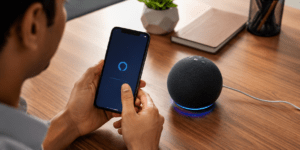
One of the biggest advantages of Alexa is automation. Small daily tasks become effortless once routines are created.
For example, you can schedule Alexa to switch on bedroom lights every morning, read the day’s weather forecast, announce calendar appointments, and play your favorite music. Likewise, an evening routine can turn off lights, lock smart doors, and adjust the room temperature automatically.
Shopping lists, reminders, alarms, cooking timers, and hands-free calling are equally useful. Families often use Alexa to create shared reminders, helping everyone stay organized throughout the day.
Automation not only saves time but also reduces the need to perform repetitive tasks manually, making everyday living more efficient.

Smart Home Devices That Work with Alexa
Amazon Alexa supports a wide range of smart home products, making it easy to build a connected home. Many popular brands offer devices that work seamlessly with Alexa, including smart bulbs, plugs, cameras, thermostats, doorbells, and TVs.
| Device Type | What You Can Do with Alexa | Benefit |
|---|---|---|
| Smart Lights | Turn lights on or off, adjust brightness | Saves energy and adds convenience |
| Smart Plug | Control appliances remotely | Easy automation |
| Smart TV | Play, pause, or change volume | Hands-free entertainment |
| Smart Camera | View security camera feeds | Better home security |
| Smart Thermostat | Adjust room temperature | Improved comfort and efficiency |
Before purchasing any smart device, check whether it is labeled as “Works with Alexa.” This ensures smooth compatibility and an easier setup experience.

Privacy and Security Tips
Using a voice assistant responsibly is just as important as enjoying its convenience. Review your privacy settings in the Alexa app and regularly delete voice recordings if you prefer not to keep them.
Additionally, use a strong Amazon account password and enable two-factor authentication for better account security. If you own smart locks or security cameras, ensure they receive regular software updates.
Taking these simple precautions helps protect your personal information while allowing you to enjoy Alexa’s smart features with confidence.
Useful Voice Commands to Try
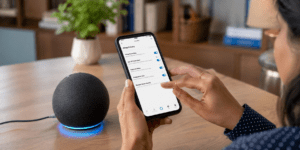
Learning a few everyday voice commands can help you get the most from Alexa. You can ask about the weather before leaving home, create shopping lists while cooking, set multiple alarms, or listen to the latest news without touching your phone.
Alexa can also answer general questions, play music, control compatible smart devices, and help manage your daily schedule. As you become familiar with voice commands, using Alexa feels more natural and efficient.
Common Mistakes to Avoid
Many users only use Alexa for playing music, missing out on features like routines, reminders, smart home control, and useful skills.
Another common mistake is skipping software updates. Keeping your Echo device updated ensures access to new features, better performance, and improved security. Also, avoid enabling too many unnecessary skills, as this can make Alexa responses less organized.
Final Thoughts
Amazon Alexa is much more than a smart speaker. It can simplify daily routines, improve home automation, and help you stay organized with minimal effort. Whether you are setting reminders, controlling smart devices, or managing household tasks, Alexa offers practical benefits for every home.
By exploring its features gradually and following good privacy practices, you can make Amazon Alexa a reliable digital assistant that genuinely improves your everyday life.