


Wifi calling is a modern smartphone feature that allows users to make and receive phone calls through a WiFi network instead of relying only on a cellular signal. It has become increasingly popular because many people experience weak mobile coverage inside homes, office buildings, shopping malls, and even rural locations. With a stable internet connection, WiFi calling helps maintain clear voice quality and reliable communication without requiring a separate app or a different phone number.
Today, most Android and iPhone devices support this feature, and many mobile carriers have enabled it for their customers. Whether you work from home, travel frequently, or simply want better call quality indoors, WiFi calling offers a practical solution. In this guide, you’ll learn how it works, its key advantages, and why it has become an essential smartphone feature.
What Is WiFi Calling?
WiFi calling is a built-in communication feature that allows your smartphone to place and receive voice calls using a wireless internet connection. Instead of depending entirely on nearby cellular towers, your device routes calls through your WiFi network whenever mobile coverage is weak or unavailable.
One of the biggest advantages is that you continue using your existing mobile number. The person you are calling doesn’t need a special application or internet-based calling service. From their perspective, the call appears exactly like a normal phone call.
Unlike messaging applications that require both users to install the same software, WiFi calling works directly through your phone’s dialer. This makes it easy for users of all ages to enjoy better connectivity without changing their calling habits.
Requirements for WiFi Calling
To use WiFi calling successfully, you’ll typically need:
- A compatible Android or iPhone device
- A mobile carrier that supports WiFi calling
- A stable broadband or fiber internet connection
- The latest smartphone software updates
- WiFi calling enabled in your phone settings
Most modern smartphones already include this feature, so setup usually takes only a few minutes.

How Does WiFi Calling Work?
When WiFi calling is enabled, your smartphone continuously checks the strength of both your mobile network and available WiFi connection. If your cellular signal becomes weak while your WiFi network remains stable, your device automatically routes voice calls through the internet.
This process happens seamlessly in the background, so most users never notice the transition. In many cases, your phone can even switch between WiFi and cellular networks during an active conversation without disconnecting the call.
The technology uses secure encryption to protect voice communication, ensuring privacy while delivering clear audio quality. As internet speeds continue to improve across homes and workplaces, WiFi calling has become a dependable alternative whenever traditional mobile coverage struggles.
Top Benefits of WiFi Calling
One of the primary reasons people enable WiFi calling is improved voice quality. Calls made through a strong WiFi connection often sound clearer, especially in buildings where mobile signals are blocked by thick walls or underground structures.
Another important advantage is better indoor connectivity. Many offices, apartments, hospitals, and shopping centers have excellent internet access but weak cellular reception. WiFi calling solves this problem by allowing uninterrupted communication through the available wireless network.

WiFi Calling vs Cellular Calling
Both WiFi calling and traditional cellular calling let you make regular phone calls using your existing mobile number. However, the technology behind them is different. Cellular calling depends on nearby mobile towers, while WiFi calling uses a wireless internet connection.
If you’re outdoors with strong mobile coverage, cellular calling usually works perfectly. However, inside buildings or areas with poor network reception, WiFi calling often provides clearer voice quality and a more stable connection.
| Feature | WiFi Calling | Cellular Calling |
|---|---|---|
| Network Used | WiFi Internet | Mobile Network |
| Indoor Performance | Excellent with strong WiFi | Depends on signal strength |
| Call Quality | Clear and stable | Can vary |
| Existing Phone Number | Yes | Yes |
| Extra App Required | No | No |
Understanding these differences helps you choose the best option depending on your location and network availability.

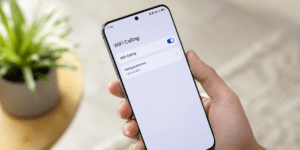
How to Enable WiFi Calling
Enabling WiFi calling is simple and usually takes less than a minute.
Android
- Open Settings.
- Tap Network & Internet or Connections.
- Select WiFi Calling.
- Turn the feature on.
iPhone
- Open Settings.
- Tap Phone.
- Select Wi-Fi Calling.
- Enable Wi-Fi Calling on This iPhone.
The exact steps may differ depending on your smartphone model and software version. If you cannot find the option, check whether your mobile carrier supports the feature or update your device to the latest operating system.
Common Limitations
Although WiFi calling offers many advantages, it also has a few limitations.
A slow or unstable internet connection can reduce call quality or cause interruptions. Public WiFi networks with heavy traffic may not provide the best calling experience. Additionally, some older smartphones and certain telecom providers may not support WiFi calling.
Emergency calling services can also vary by country and network provider. Therefore, it is a good idea to understand your carrier’s policies before relying on WiFi calling for emergency situations.

Best Practices for Better Call Quality
You can improve your WiFi calling experience by following a few simple tips.
Stay connected to a fast and reliable WiFi network whenever possible. Position yourself closer to your wireless router to maintain a strong signal. Keeping your smartphone updated ensures compatibility with the latest software improvements and security updates.
It is also helpful to restart your phone occasionally and avoid crowded public WiFi networks when making important calls. If your internet connection supports high speeds and low latency, you will usually experience excellent voice quality.
These small habits can make a noticeable difference in everyday communication.
Conclusion
wifi calling is one of the most practical communication features available on modern smartphones. It helps users stay connected even when mobile signals are weak by using a reliable WiFi network for voice calls. Whether you’re working from home, traveling, or living in an area with limited cellular coverage, this feature can significantly improve your calling experience.